Become someone who shows up.
Every habit is built one small day at a time. Bear Streak makes each day one tap, or no tap at all, and lines them up into a streak you can watch grow.

Works without an account. No ads, no tracking in the app.
Habits rarely end with a decision.
They fade, one skipped day at a time.
Make showing up the easy part
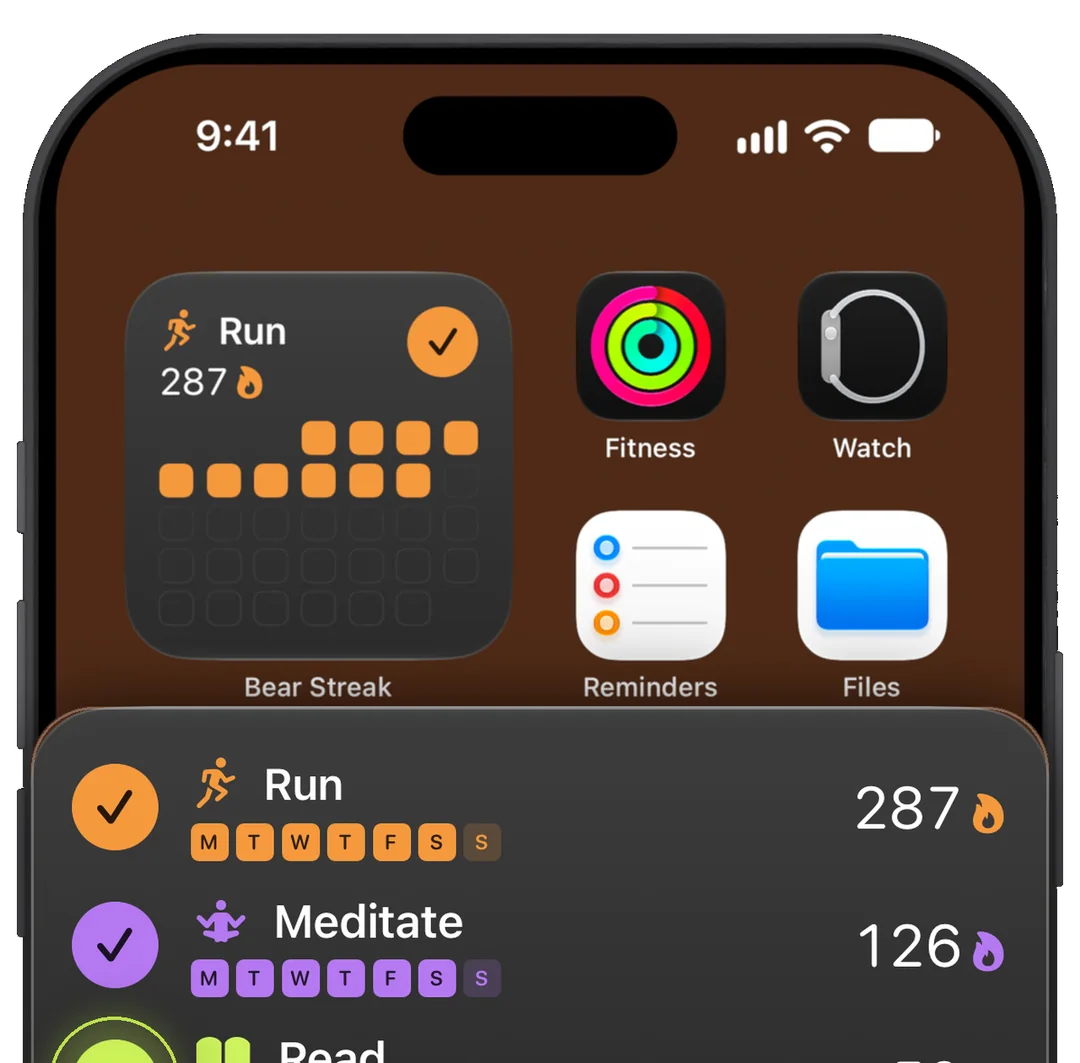
Habits tend to slip on busy days, when even opening an app feels like one step too many. Bear Streak lets you mark the day done from your Home Screen widget, or marks it for you.
- Apple Health
- Shortcuts automations
- Siri
- intervals.icu
- Incoming webhooks
- Your own API
Your workout already counts
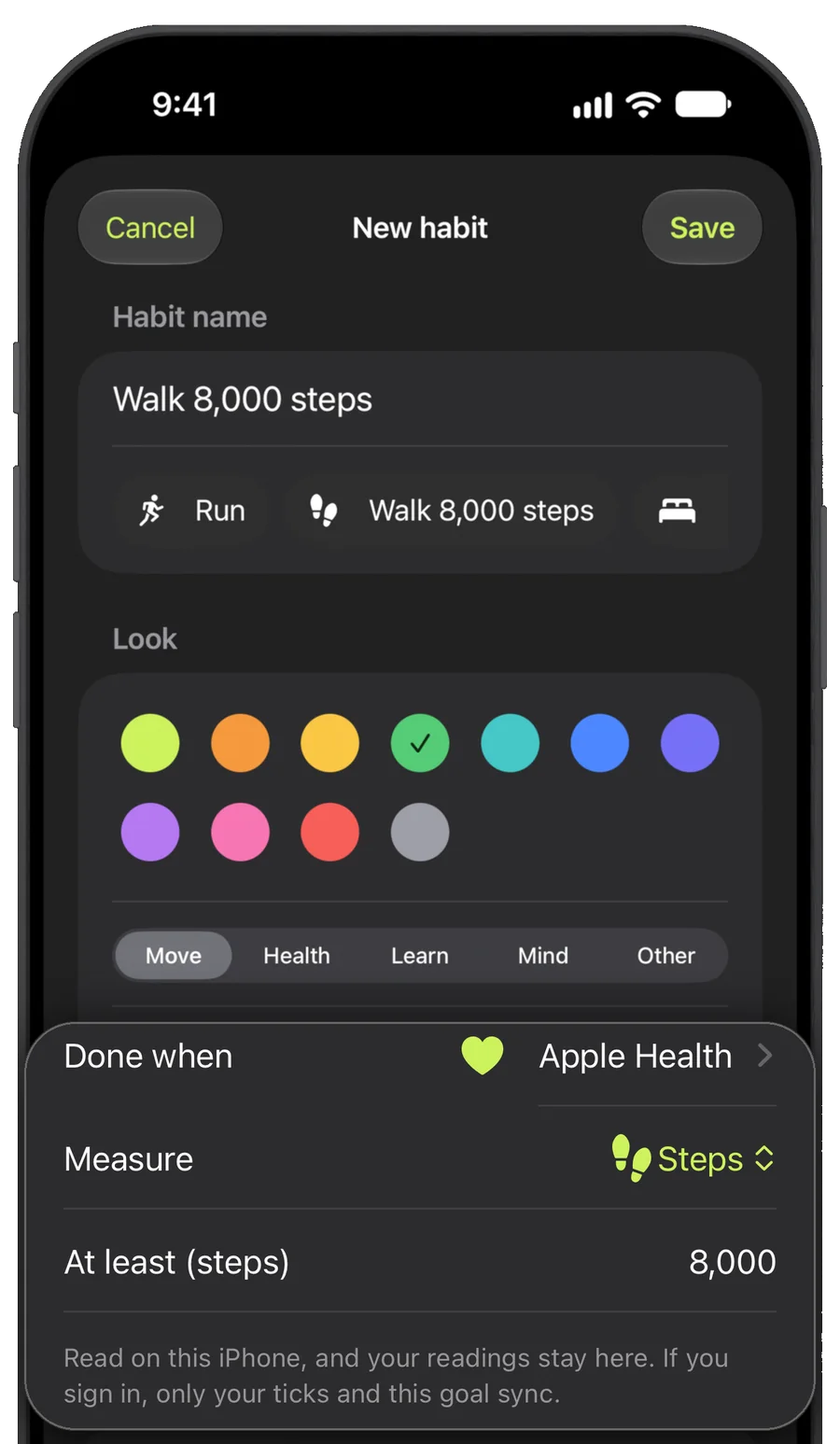
Finish a workout, or reach your goal for steps, exercise minutes, sleep or mindful minutes, and the day is marked done for you.
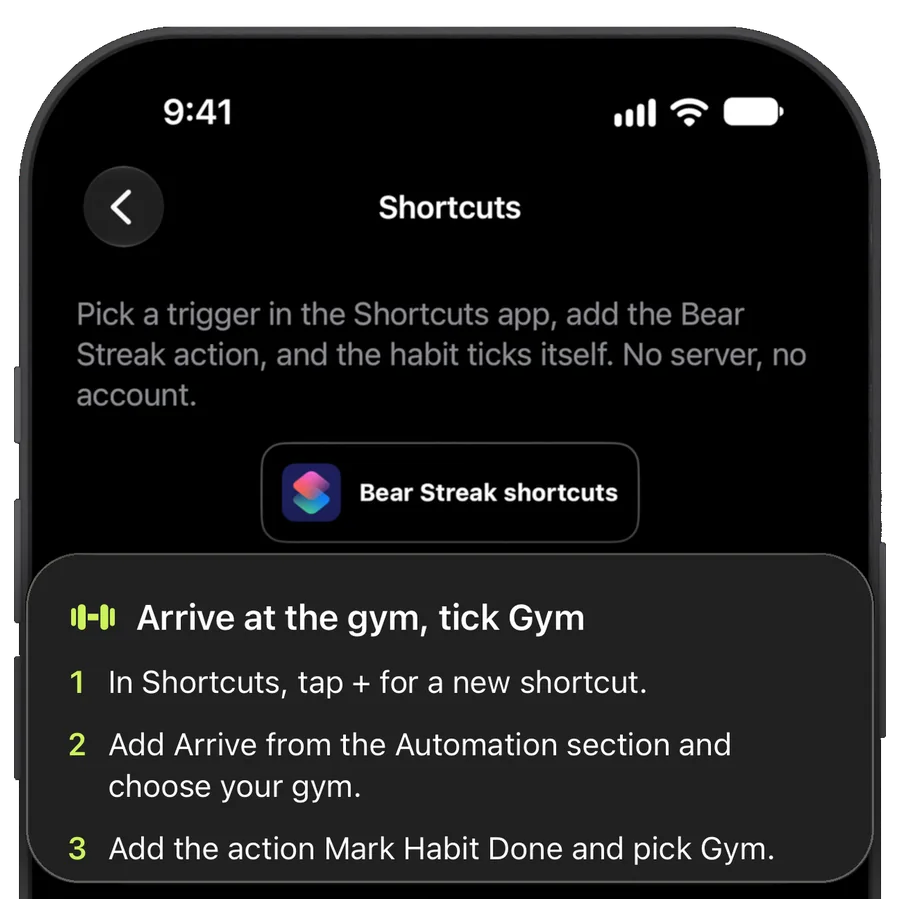
Arrive at the gym. Already done.
Arrive at the gym, open your reading app or turn off your alarm, and a Shortcuts automation ticks the habit. Or ask Siri to mark it done.
See the year you are building
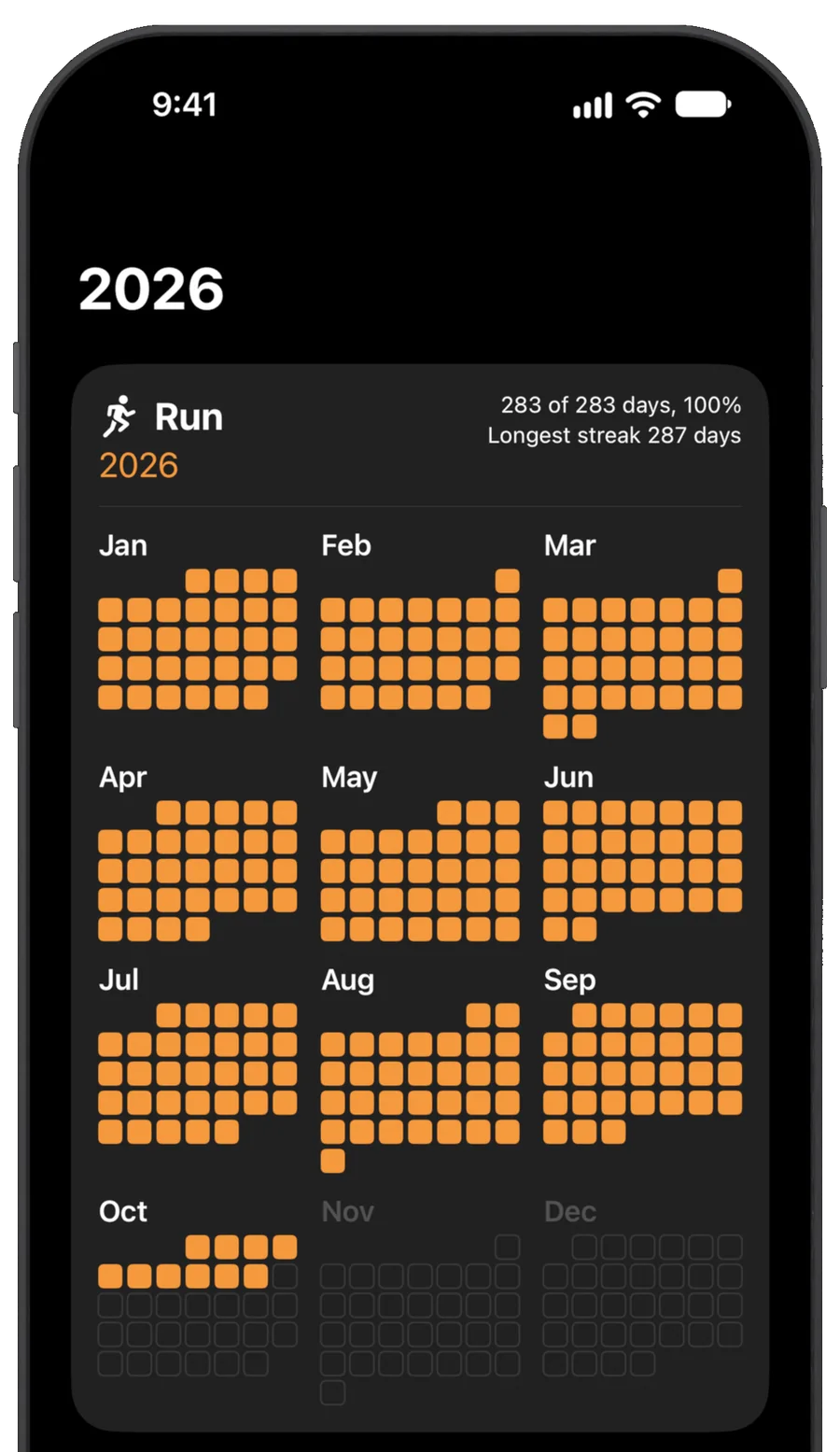
One day on its own feels small. Laid out across a whole year, those days become proof of who you are becoming.
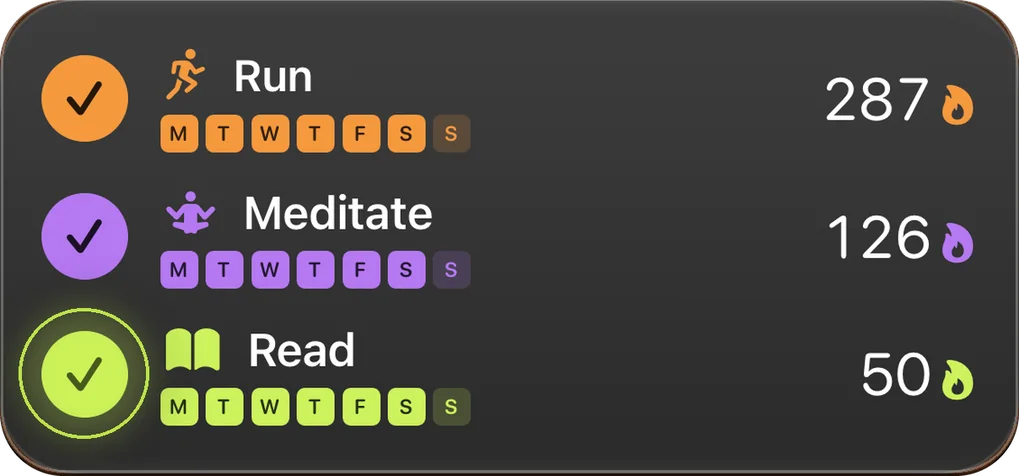
A 365-day grid for every habit, with your current streak, longest streak and completion rate.
Made for real weeks, not perfect ones
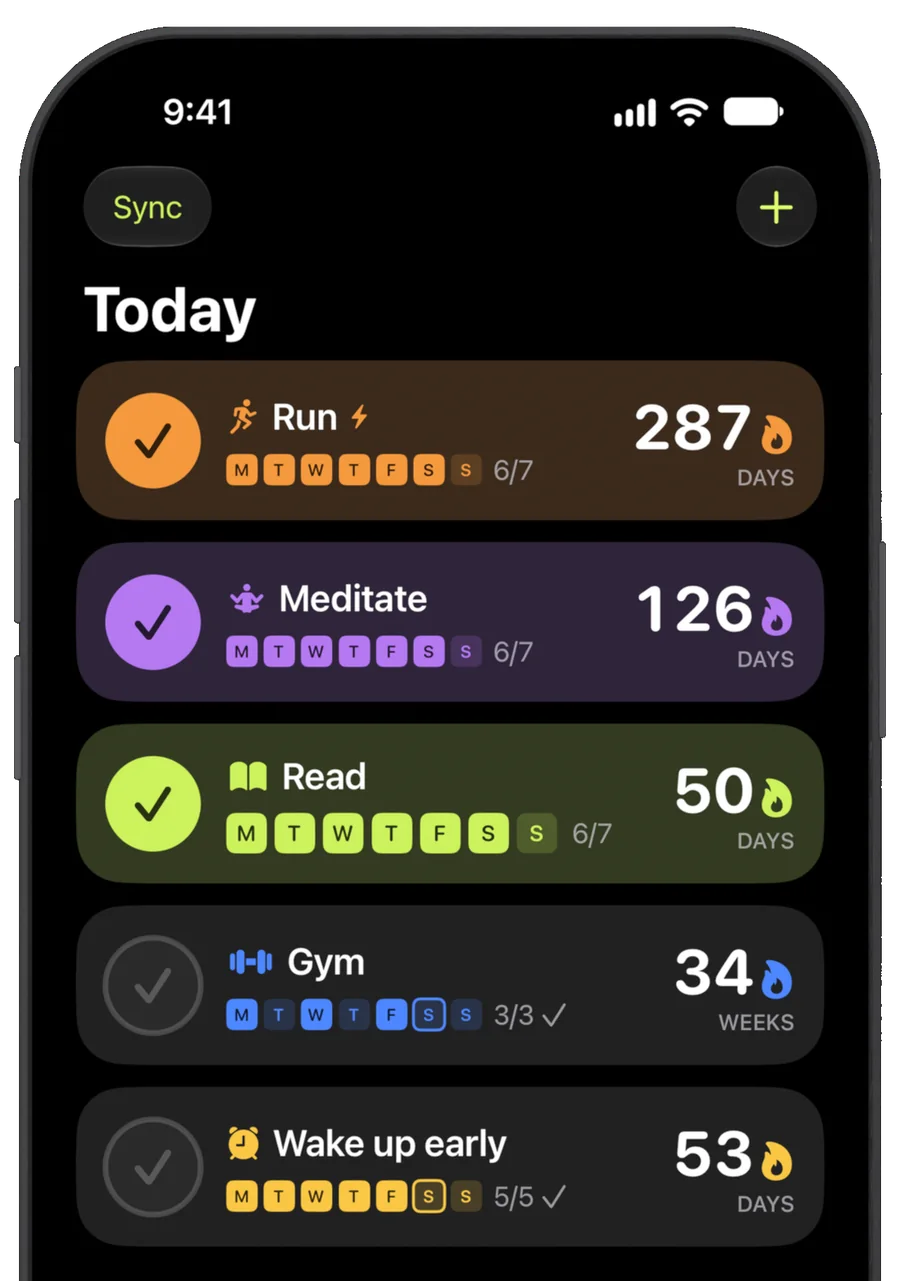
A streak gives you a reason to show up tomorrow. Plan your rest days so they never break it, and if you miss a planned day, the count starts again with the next one.
- Pick your days, or a number of times per week, so planned rest never breaks your streak
- Forgot to tick? Open the habit and tap that day to fix it
Coming in a future update
Watch your days add up
A habit is easier to keep when you can see it take shape. Each habit will get a month of circles that fill in day by day, and posters to share what you have built.


A month worth sharing
Every day you showed up, marked with the habit's icon, sized for your story.
Everything you show up for
Every habit you are keeping, with its week and its streak, on one poster.
Your habits are your business
What you are working on is personal, so Bear Streak asks for as little as it can.
Start without an account
Habits, widgets, Shortcuts and Siri all work without one. Your habits live on your iPhone first, so the app and widget work offline.
Health data stays on your iPhone
Apple Health is read-only. Measurements stay on your iPhone; only your ticks and habit goals sync when you sign in.
Back up when you are ready
Sign in with Apple to back up your history. Delete your account and data anytime in Settings.
No ads, no tracking in the app
No advertising, analytics or tracking SDKs. Your data is never sold.
Questions
I always give up on new habits. Will this help?
No app can do the work for you. What Bear Streak can do is take away the small frictions that make skipping easy: marking a day done is one tap on your widget, some habits tick themselves, and your streak and year grid keep your progress in view.
What happens if I miss a day?
If it was a day you planned, your current streak starts again, while your longest streak and every day you showed up stay on your year grid. Did it but forgot to tick? Open the habit, tap that day, and your streak joins up again. A habit set to a number of times per week counts its streak in weeks, so one missed day only matters if the week falls short.
Can a habit be less than daily?
Yes. Pick the days that suit you, or set a number of times per week. On a habit with set days, extra days still add to your streak.
What can tick a habit for me?
The widget, one tap at a time. Apple Health, Shortcuts automations and Siri. And for more: intervals.icu, incoming webhooks and your own API.
Do I need an account?
No. Habits, widgets, Shortcuts and Siri work without an account. Sign in with Apple when you want to back up your history. Webhooks need you to sign in.
What does Bear Streak do with my Apple Health data?
It reads, with your permission, workouts, steps, exercise minutes, sleep and mindful minutes, only to decide whether a habit is done for the day. It never writes to Health. Measurements never leave your iPhone. If you sign in, only the result syncs: that a habit was done on a given day and that Apple Health ticked it, plus the rule you chose for that habit, for example steps at least 8,000.